 gpu
WebGPU, in your browser.
Games, tools and tutorials powered by the GPU. Nothing to install.
WebGPU · WGSL shaders · Compute shaders · Real-time 3D rendering · GPU data processing · Procedural worlds · Zero dependencies · Chrome, Edge, Safari & Firefox
WebGPU across every field
WebGPU gives web pages direct access to the graphics card for both drawing and general-purpose computing. Here is where gpuengine puts it to work, and what is coming next.
- Live · Games & 3D rendering
Browser games
Real-time 3D with shadows, lighting and post-processing. City Drive renders an endless procedural city with live traffic.
- Live · Developer tools
GPU-accelerated tools
Everyday developer utilities that use the GPU where it pays off. The JSON viewer searches a 50 MB file in under a tenth of a second.
- Live · Learning
WebGPU tutorials
From your first triangle to compute shaders, one runnable lesson at a time.
- Coming soon · GPU compute
Particle and physics simulation
A million compute-shader particles you can push around, and simulations that run entirely on the GPU.
- Planned · Image & video
Image and video processing
Filters, resizing and effects applied by shaders in real time, with files that never leave your device.
- Planned · Data visualization
Large-scale charts and maps
Plotting millions of points smoothly by drawing them on the GPU instead of the page.
- Planned · Machine learning
AI in the browser
Running neural network inference on WebGPU, privately and without a server.
WebGPU game: City Drive
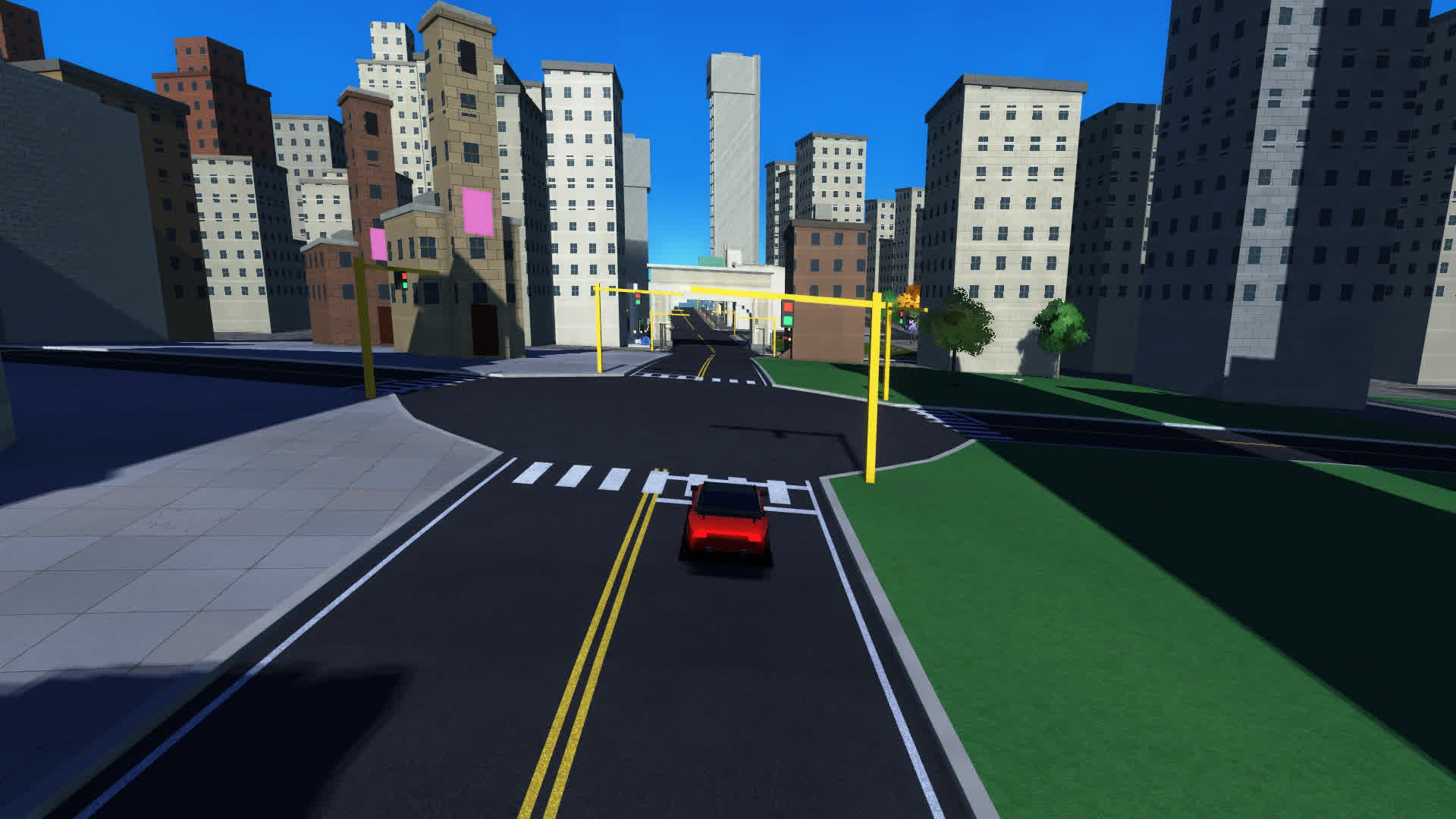
An endless procedural city you can drive through: downtown towers, suburbs, waterfronts, overpasses and live traffic. Every street is generated as you go and rendered with WebGPU, with no game engine or library underneath.
- Sun shadow maps and time-of-day lighting
- World generation in a Web Worker, so frames never stall
- Keyboard and touch controls, plus in-game video recording
WebGPU developer tool: JSON Viewer & Editor
WebGPU is not only for graphics. Our JSON viewer copies your document to the GPU once, then a compute shader checks every position in parallel, so search stays fast on very large files.
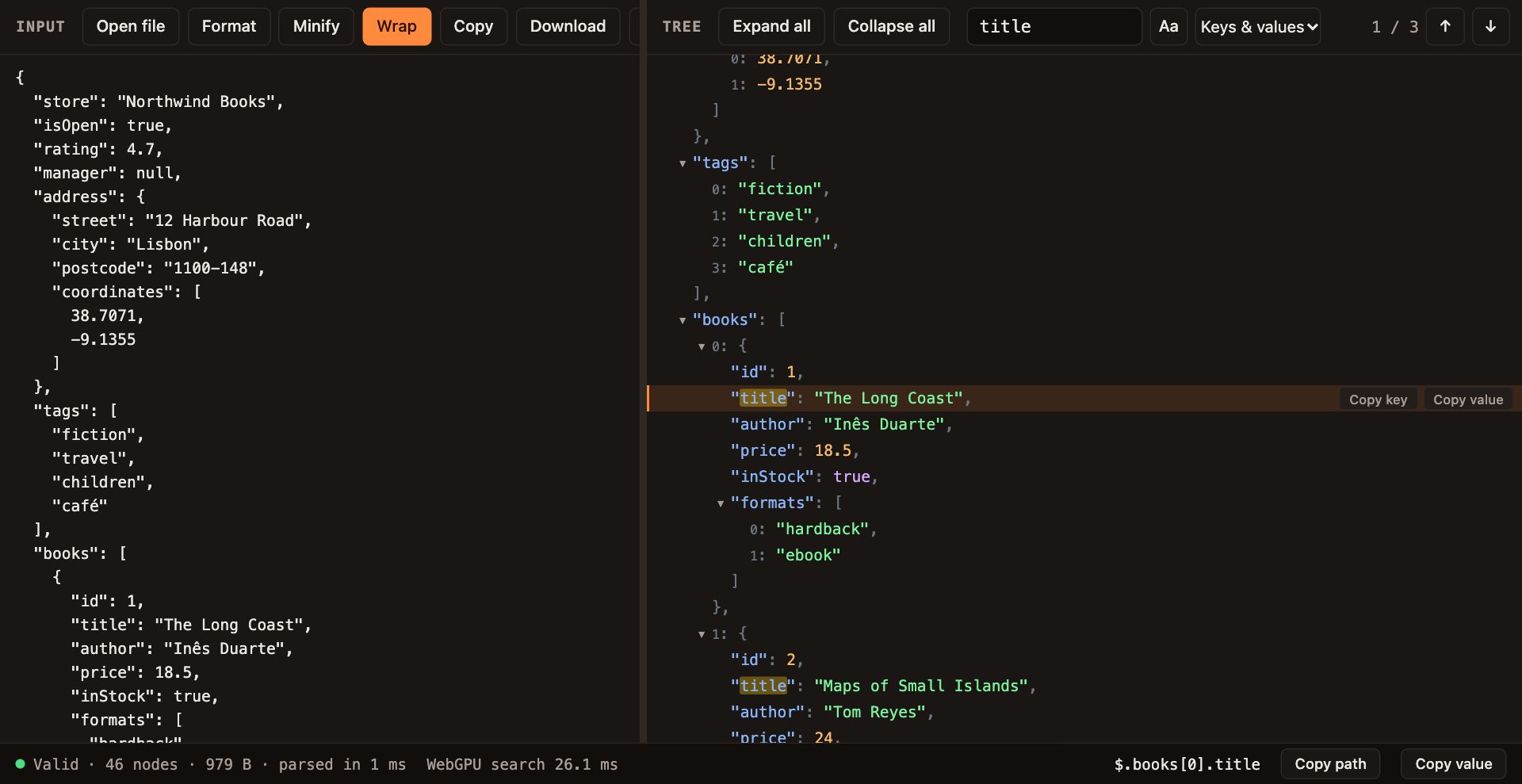
- Validate JSON with exact line and column errors
- Format and minify without losing number precision
- Collapse, expand and edit nodes in a tree view
- Search keys and values on the GPU
- Copy any key, value or path
- Runs locally: nothing is uploaded
Learn WebGPU step by step
Twelve short lessons, one idea each, from your first triangle to shadows and post-processing. Every example runs in the Playground, so you can change the code and see the result.
- 01 · Basics
What is WebGPU?
The new GPU API for the web, how it differs from WebGL, and which browsers run it.
- 02 · Basics
Your first triangle
Adapter, device, shader and render pass: the smallest complete WebGPU program.
- 03 · Basics
WGSL basics
Types, functions and entry points in the WebGPU shading language.
- 06 · 3D
Camera & matrices
Perspective, view and model matrices, and a spinning 3D cube.
- 09 · 3D
Instancing
Draw thousands of objects with one draw call.
- 10 · Advanced
Compute shaders
Run general-purpose work on the GPU: particles, simulation and search.
Deep dives
Long-form articles on how the engine, the games and the tools actually work, with the trade-offs left in.
What is WebGPU, and why does it matter?
WebGPU is the modern standard for using the graphics card from a web page. It replaces WebGL and, for the first time, brings general-purpose GPU computing to the web.
Graphics and compute in one API
WebGL could only draw. WebGPU can draw and compute: compute shaders run thousands of small programs in parallel, which makes it useful for simulation, data processing, search, image work and machine learning, not just 3D.
Closer to how modern GPUs work
WebGPU is modelled on Vulkan, Metal and Direct3D 12. Work is recorded up front and submitted in batches, so the CPU spends less time telling the GPU what to do and more frames reach the screen.
Shaders written in WGSL
WebGPU programs are written in WGSL, the WebGPU Shading Language. One shader runs the same on Windows, macOS, Linux, Android and iOS, in every browser that supports WebGPU.
Runs where your users already are
WebGPU ships in recent Chrome, Edge and Safari, and in Firefox on Windows. A link is all it takes: no app store, no download, no plugin.
Read the official WebGPU specification and MDN reference, or browse all WebGPU resources →
WebGPU questions
- Is WebGPU faster than WebGL?
- Usually, for scenes with many objects, because WebGPU lowers the cost of each draw call. The bigger change is compute shaders, which WebGL does not have at all.
- What can WebGPU be used for besides games?
- Anything that benefits from parallel work: developer tools like our GPU-accelerated JSON search, image and video filters, data visualization, physics simulation and running AI models in the browser.
- Does my browser support WebGPU?
- Recent versions of Chrome, Edge and Safari support it, as does Firefox on Windows; Can I use lists exact versions. Open City Drive: if it runs, your browser has WebGPU.
- Do I need to install anything to use gpuengine?
- No. Every game, tool and tutorial on this site runs in the browser tab, and tools like the JSON viewer process your data locally.
Inside the engine Work in progress
These are the systems behind the games and tools so far, and the list keeps growing.
- Procedural city districts and building kits
- Road graph with junctions, curbs and overpasses
- Traffic and pedestrians
- Sun shadows and time-of-day lighting
- Post-processing pipeline
- World streaming in a Web Worker
- Compute-shader text search
- Virtualized views for millions of rows