 gpu
Sun shadows, explained
The city in City Drive never ends, but its sun shadows come from one square depth texture. This article walks through sun_shadows.js and the shaders that read it: how the shadow camera follows you, why its position snaps to a grid, why it is not redrawn every frame, and how the game keeps shadows from speckling or floating.
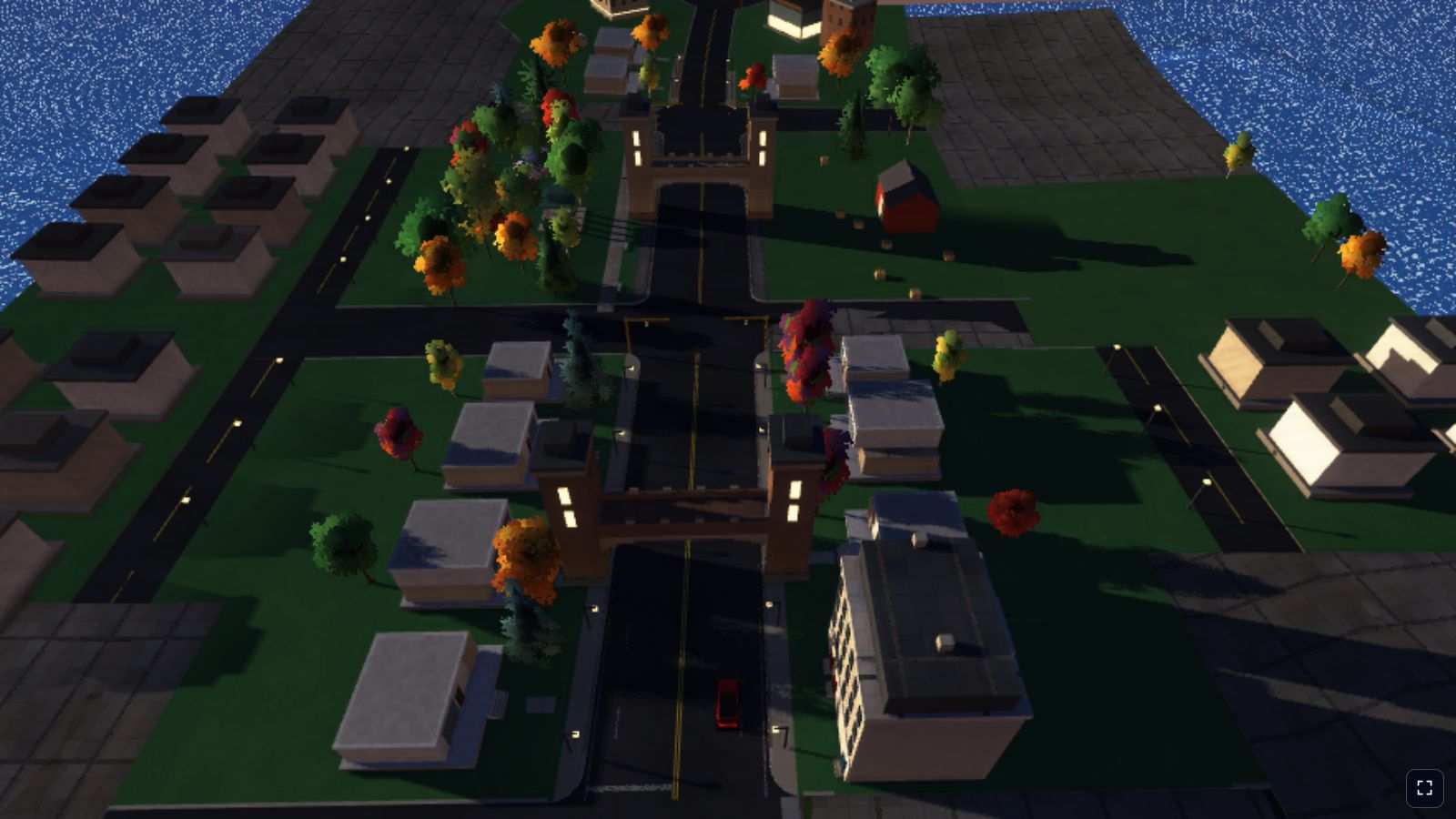
One shadow map for an endless city
Shadow mapping renders the scene's depth from the light, then, while shading the camera view, checks whether something in that depth image is closer to the sun than each pixel. The sun's rays are parallel, so its "camera" is orthographic: a box, not a pyramid.
City Drive's world is streamed around the car without end, and a box covering all of it would spread its texels so thin that every shadow became a blur. Many engines use cascades: several boxes of growing size. City Drive uses one box, kept small and moved with the player:
const SHADOW_MAP_FORMAT = "depth32float";
const SHADOW_HALF_EXTENT_METERS = 90;
const SHADOW_CENTER_AHEAD_METERS = 50;
const SHADOW_DEPTH_RANGE_METERS = 700;
const SHADOW_MIN_SUN_HEIGHT = 0.05;
const SHADOW_NORMAL_OFFSET_TEXELS = 1.5;
const SHADOW_STRENGTH = 0.92;
const SHADOW_DEPTH_BIAS_UNITS = 2;
const SHADOW_SLOPE_BIAS = 2.5;
const SHADOW_SUN_CHANGE_COSINE = 0.99995;
So the box is 180 metres across and 700 metres deep along the sun's rays. With the default 2048 × 2048 map, one texel covers 180 / 2048 ≈ 8.8 cm. That is fine enough for cars, trees and small houses to cast crisp shadows.
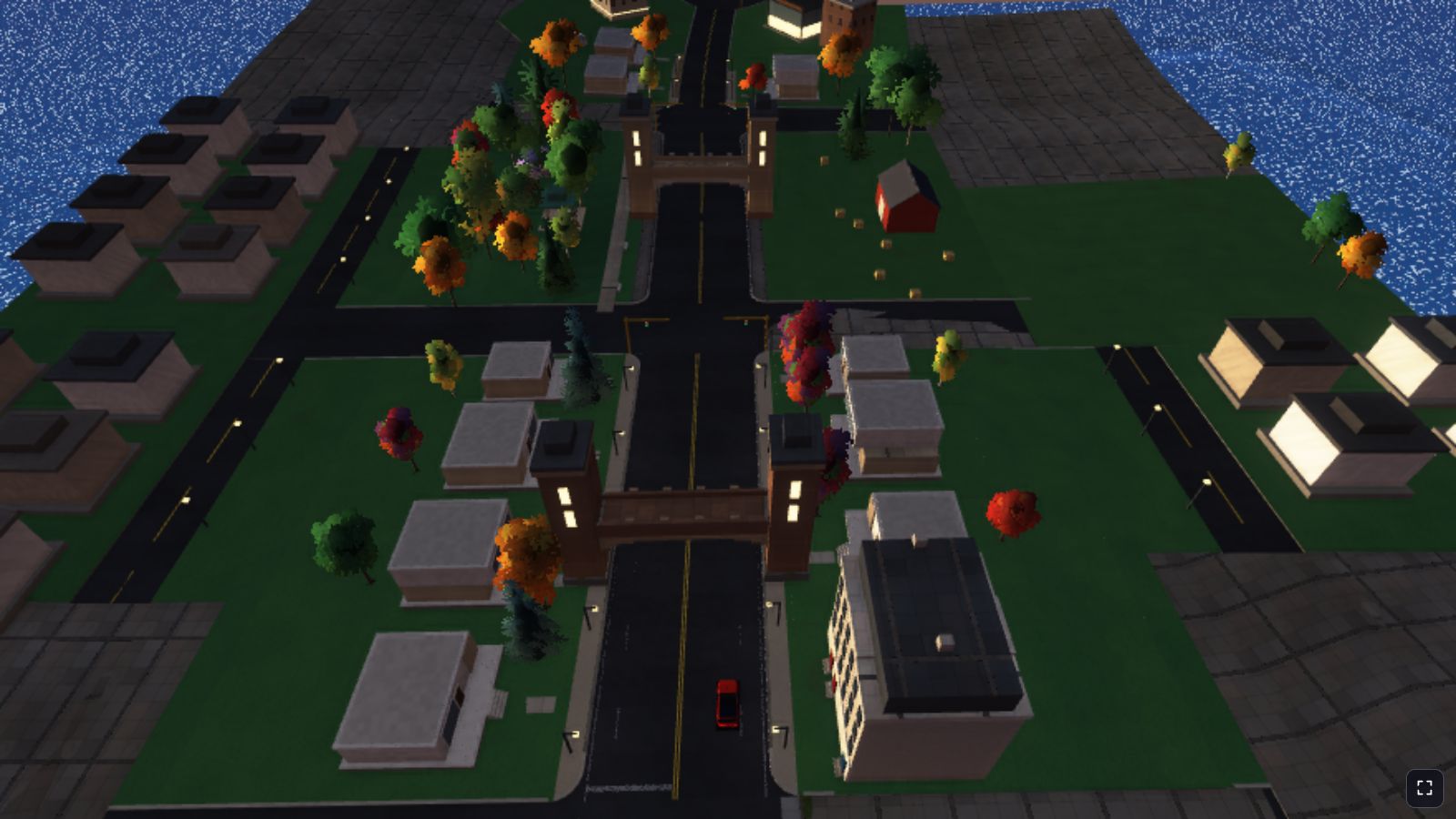
Following the camera
The box does not sit on the car. It sits on a point 50 metres ahead of the camera, measured along the camera's horizontal view direction. Most of what you can see in a chase view is in front of you, so centring the box ahead spends texels where you are looking instead of on the road behind.
function shadowFocusPoint(camera) {
  const lookX = camera.lookX - camera.x;
  const lookZ = camera.lookZ - camera.z;
  const lookLength = Math.hypot(lookX, lookZ) || 1;
  return [
    camera.x + (lookX / lookLength) * SHADOW_CENTER_AHEAD_METERS,
    camera.y,
    camera.z + (lookZ / lookLength) * SHADOW_CENTER_AHEAD_METERS
  ];
}
With a half-width of 90 metres, the box always reaches at least 40 metres behind the camera and 140 metres ahead of it, and further along the direction of the light. The focus point is used for one thing only: building the sun's view-projection matrix.
function writeSunShadowMatrix(uniforms, { focus, towardSun, mapSize }) {
  const isSunUp = towardSun[1] > SHADOW_MIN_SUN_HEIGHT;
  const texelMeters = (SHADOW_HALF_EXTENT_METERS * 2) / mapSize;
  const viewUp = Math.abs(towardSun[1]) > 0.95 ? [0, 0, 1] : [0, 1, 0];
  mat4LookAt(sunShadowMatrices.rotation, [0, 0, 0], [-towardSun[0], -towardSun[1], -towardSun[2]], viewUp);

  const lightSpaceCenter = transformPoint4(sunShadowMatrices.rotation, focus);
  const snappedX = Math.round(lightSpaceCenter[0] / texelMeters) * texelMeters;
  const snappedY = Math.round(lightSpaceCenter[1] / texelMeters) * texelMeters;
  const centerDistance = -lightSpaceCenter[2];
  mat4Orthographic(
    sunShadowMatrices.projection,
    snappedX - SHADOW_HALF_EXTENT_METERS, snappedX + SHADOW_HALF_EXTENT_METERS,
    snappedY - SHADOW_HALF_EXTENT_METERS, snappedY + SHADOW_HALF_EXTENT_METERS,
    centerDistance - SHADOW_DEPTH_RANGE_METERS * 0.5, centerDistance + SHADOW_DEPTH_RANGE_METERS * 0.5
  );
  mat4Multiply(sunShadowMatrices.viewProjection, sunShadowMatrices.projection, sunShadowMatrices.rotation);

  uniforms.set(sunShadowMatrices.viewProjection, UNIFORM_VEC4_SLOT.lightViewProj * 4);
  setUniformVec4(uniforms, UNIFORM_VEC4_SLOT.shadowParams, 1 / mapSize, isSunUp ? 1 : 0, texelMeters * SHADOW_NORMAL_OFFSET_TEXELS, SHADOW_STRENGTH);
}- The rotation is built at the origin.
mat4LookAtlooks from[0, 0, 0]along the sun's rays, with no translation. The box is positioned entirely by the orthographic bounds, which makes the snapping below simple. - The depth range is centred on the focus, 350 metres either side along the ray, leaving room for tall towers between the sun and the street.
- Four numbers go to the shader in
shadowParams: texel size in UV units, whether the sun is up, the normal offset in metres and the shadow strength.
Snapping to texels to stop the shimmer
If the box slid smoothly with the camera, the texel grid would slide with it, every shadow edge would be resampled at slightly different positions on each redraw, and edges would crawl as you drove. This shimmering is very visible on long straight edges such as a building's shadow across a road.
The fix is two lines: the focus point is transformed into light space and its x and y are rounded to whole texels (snappedX and snappedY). The box still follows you, but in steps of exactly one texel, so a building's edge falls on the same texels from one redraw to the next.
This works because the box never changes size and never rotates with the camera; its rotation depends on the sun alone. Depth is not snapped, because moving the near and far planes changes stored values but not which texel an edge lands on.
Not redrawing it every frame
Rendering the whole streamed world a second time from the sun is expensive, so updateSunShadow only asks for a new shadow map when the old one is stale:
function isSunShadowStale(focus, towardSun, quality) {
  const { focusAtRender, sunAtRender, framesSinceRender, mapSizeAtRender } = sunShadowSchedule;
  if (!focusAtRender || mapSizeAtRender !== quality.shadowMapSize) return true;
  if (framesSinceRender >= quality.shadowMaxFramesBetweenRenders) return true;
  const focusMovement = Math.hypot(focus[0] - focusAtRender[0], focus[1] - focusAtRender[1], focus[2] - focusAtRender[2]);
  if (focusMovement > quality.shadowRefreshMovementMeters) return true;
  const sunAlignment = towardSun[0] * sunAtRender[0] + towardSun[1] * sunAtRender[1] + towardSun[2] * sunAtRender[2];
  return sunAlignment < SHADOW_SUN_CHANGE_COSINE;
}
The map is redrawn when the focus has moved far enough, when the sun has turned by more than about 0.57° (the angle whose cosine is 0.99995), or after a number of frames. The frame limit matters even when parked, because traffic and swaying trees cast shadows too.
The matrix and the map are updated together: when the map is not stale, the uniform buffer keeps the matrix the old map was rendered with. The lookup stays consistent; the shadows are just a few frames old.
The numbers come from the two render quality profiles in renderer.js. "Cool" is the low-power mode you get with the K key.
| Setting | Full | Cool |
|---|---|---|
shadowMapSize | 2048 | 1024 |
| Texel size on the ground (sun overhead) | 8.8 cm | 17.6 cm |
shadowMaxFramesBetweenRenders | 6 | 10 |
shadowRefreshMovementMeters | 1.5 | 2.5 |
treeShadowMaxLod | 1 | 0 |
| Depth texture memory | 16 MiB | 4 MiB |
At 22 m/s (79 km/h, the speed the car starts at) and 60 frames per second, the focus moves about 0.37 metres a frame, so the full profile redraws the map roughly every fourth frame. Parked, it redraws every sixth.
The shadow pass
When the map is stale, the renderer records an extra depth-only render pass at the start of the frame's command encoder, before the depth prepass and the main scene:
encodeShadowPass(encoder, { dynamicMesh, slotOrder, treeBatches }) {
  const pass = encoder.beginRenderPass({
    colorAttachments: [],
    depthStencilAttachment: { view: this.sunShadowMap.view, depthClearValue: 1.0, depthLoadOp: "clear", depthStoreOp: "store" }
  });
  this.drawWorldMeshes(pass, { dynamicMesh, slotOrder, pipeline: this.shadowPipelines.mesh, bindGroup: this.shadowBindGroup });
  const nearbyTreeBatches = treeBatches.filter(batch => batch.lod <= this.quality.treeShadowMaxLod);
  this.drawTreeBatches(pass, nearbyTreeBatches, this.shadowPipelines.tree, this.shadowBindGroup);
  pass.end();
}
It reuses the main pass's vertex buffers and draw loop: one draw per streamed road segment slot, plus the dynamic mesh with the player's car, traffic and pedestrians. Nothing is culled against the shadow box; the GPU clips what falls outside. Only trees are filtered: batches whose level of detail index is at most 1 (0 in the cool profile).
The map is a depth32float texture with RENDER_ATTACHMENT and TEXTURE_BINDING usage, written here and sampled later in the same frame. The mesh pipeline has no fragment shader. Its vertex shader throws away small detail geometry and road markings by moving them outside the clip volume:
@vertex
fn vs_mesh_shadow(in : MeshIn) -> @builtin(position) vec4<f32> {
  return select(u.lightViewProj * vec4<f32>(in.pos, 1.0), CULLED_CLIP_POSITION, isDistanceFadingMaterial(in.mat.x));
}
CULLED_CLIP_POSITION is vec4(0, 0, 2, 1), a depth that is always clipped. Leaves do need a fragment shader, because a leaf card is a quad with a transparent texture; it discards the empty parts so shadows get leaf-shaped holes:
@fragment
fn fs_tree_shadow(in : TreeShadowVertexOut) {
  let leafCoverage = textureSampleLevel(leafAtlasTex, leafAtlasSampler, in.atlasUV, 0.0).a;
  if (in.kind < 0.25 && leafCoverage < 0.5) {
    discard;
  }
}
For the shadow pass, leaf cards are turned to face the sun rather than the camera, so a crown casts a full shadow instead of a thin sliver.
Reading the map: four taps
Every lit fragment of the world calls sunShadowVisibility in world_shaders.js, which returns 1 for full sun and lower values in shadow:
fn sunShadowVisibility(worldPos : vec3<f32>, normal : vec3<f32>) -> f32 {
  if (u.shadowParams.y < 0.5) {
    return 1.0;
  }
  let lightClip = u.lightViewProj * vec4<f32>(worldPos + normal * u.shadowParams.z, 1.0);
  let shadowUV = vec2<f32>(lightClip.x * 0.5 + 0.5, 0.5 - lightClip.y * 0.5);
  let receiverDepth = lightClip.z - SHADOW_DEPTH_BIAS;
  let texel = u.shadowParams.x;
  var litSamples = 0.0;
  for (var tapY = 0; tapY < 2; tapY++) {
    for (var tapX = 0; tapX < 2; tapX++) {
      let tapOffset = (vec2<f32>(f32(tapX), f32(tapY)) * 2.0 - 1.0) * texel;
      litSamples += textureSampleCompareLevel(sunShadowMap, sunShadowSampler, shadowUV + tapOffset, receiverDepth);
    }
  }
  let distanceToEdge = min(min(shadowUV.x, 1.0 - shadowUV.x), min(shadowUV.y, 1.0 - shadowUV.y));
  let insideMap = smoothstep(0.0, SHADOW_EDGE_FADE_UV, distanceToEdge) * step(receiverDepth, 1.0);
  let visibility = mix(SHADOW_DARKEST_VISIBILITY, 1.0, litSamples / 4.0);
  return mix(1.0, visibility, insideMap * u.shadowParams.w);
}- Project. Clip x and y become texture coordinates, with y flipped. The projection is orthographic, so there is no divide.
- Compare in hardware. The map is bound as
texture_depth_2dwith asampler_comparisonusingcompare: "less-equal"and linear filtering. EachtextureSampleCompareLevelcompares against the four nearest texels and blends the results bilinearly: percentage-closer filtering (PCF) done by the texture unit. - Four taps, one texel apart. Each tap covers 2 × 2 texels, so the four diagonal taps read a 4 × 4 neighbourhood. Edges come out about three texels soft, roughly 25 cm at full quality.
- Fade at the edges. Within 6% of the border, about 11 metres in the light's view, shadows fade out instead of ending in a hard line. Beyond the far plane counts as lit.
- Strength. The final mix with
shadowParams.w(0.92) means full shadow still keeps 8% of the direct sunlight.
Visibility only scales the direct sun term; ambient light and the contact shading in post_processing.js are separate, so shadows are dark but never black. Water uses it to switch off sun glints, and foliage uses mix(0.22, 1.0, visibility) so shadowed leaves never go flat.
Acne, and the three biases
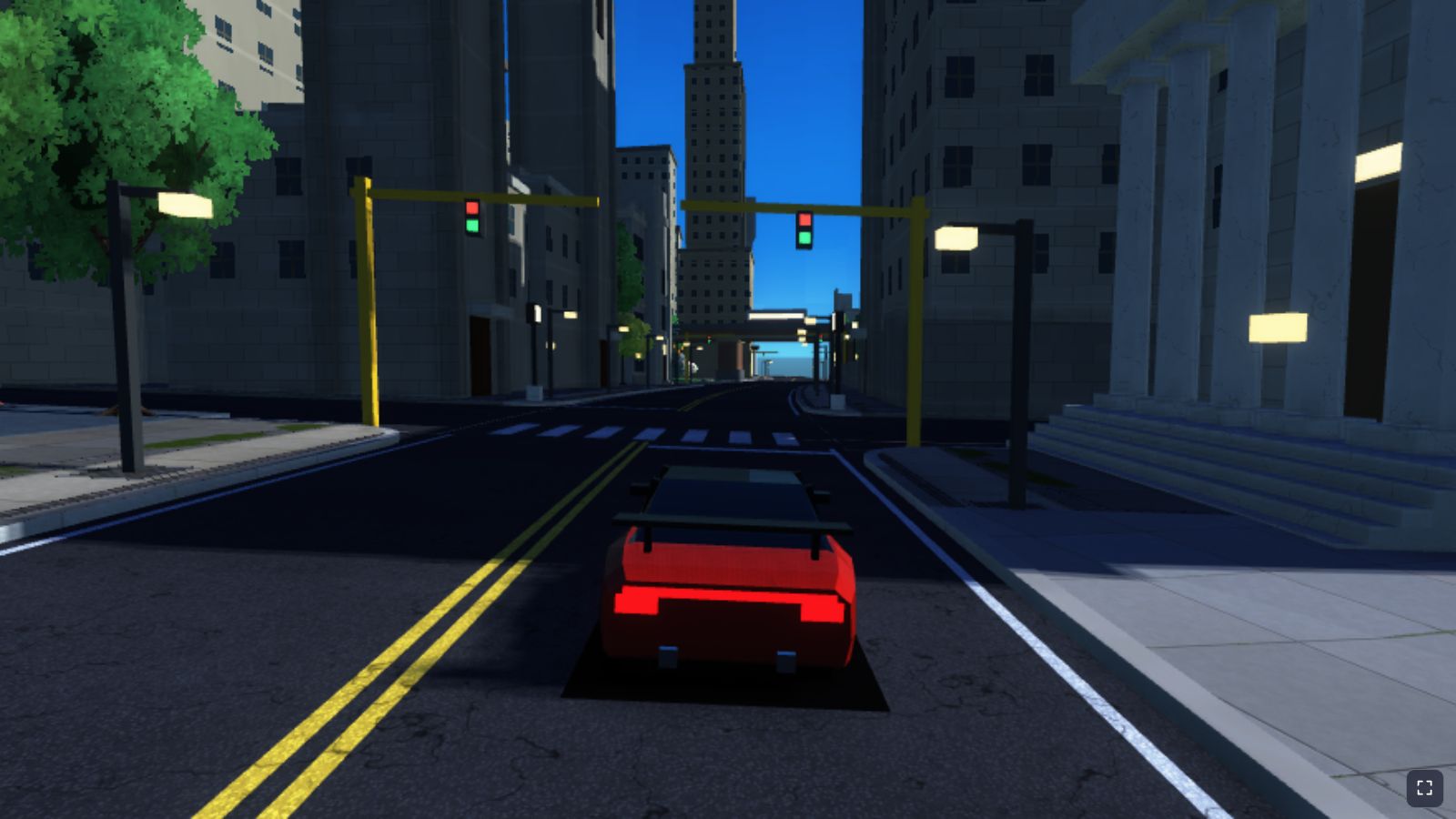
Comparing a surface against its own depth is a coin toss: rounding and texel size make parts of a lit surface think they are behind themselves, giving shadow acne, dark stripes over lit surfaces. Overcorrect and shadows detach from their casters ("peter-panning"). City Drive combines three small corrections:
| Bias | Where | Value | What it handles |
|---|---|---|---|
| Rasteriser depth bias | Shadow pipeline depthStencil | depthBias: 2, depthBiasSlopeScale: 2.5 | Pushes stored depth away from the sun, more on surfaces at a steep angle to the light |
| Normal offset | sunShadowVisibility | 1.5 texels: 13 cm at full quality, 26 cm in cool | Moves the lookup point off the surface along its normal, so it lands in front of its own texel |
| Receiver depth bias | SHADOW_DEPTH_BIAS | 0.0006 of the depth range, about 42 cm | A final constant margin on the comparison |
The normal offset follows the texel size, so it grows in the cool profile where acne would otherwise get worse. The slope-scaled bias handles walls and roofs lit at a grazing angle, exactly where a constant bias fails.
Leaves have no meaningful normal, so the foliage shader also moves the lookup 0.6 metres towards the sun: sunShadowVisibility(in.worldPos + L * select(0.0, FOLIAGE_SHADOW_LIGHTWARD_OFFSET_METERS, kind < 0.75), N). Without it, a crown would shadow itself almost completely.
The price of this margin is that thin contact shadows can start a little away from their caster. The painted dark quads under the cars and the contact shading pass fill that gap.
Where the sun comes from
Each of the six biomes in environment.js has its own sunDir. The game blends between biomes over time, or jumps when you press B. The blend is a component-wise lerp, so updateSunShadow renormalises the direction, and the 0.57° threshold triggers redraws as it moves.
A sun height (the y component) below 0.05 switches the lookup off. Every biome is above that, including "Starry Night", whose dim, bluish "sun" stands in for moonlight.
Because the box is square to the sun, not the ground, a texel on flat ground stretches to 8.8 cm divided by the sine of the sun's elevation, along the light's direction. At full quality:
| Biome | Sun elevation | Shadow of a 10 m house | Ground covered along the light | Texel length along the light |
|---|---|---|---|---|
| Sunny Noon | 35.6° | 14 m | 309 m | 15 cm |
| Crisp Morning | 15.1° | 37 m | 693 m | 34 cm |
| Golden Sunset | 9.2° | 62 m | about 709 m (limited by the 700 m depth range) | 55 cm |
These are derived from the biome constants, not measured. They explain why morning and sunset shadows are long but softer and blockier than noon shadows.
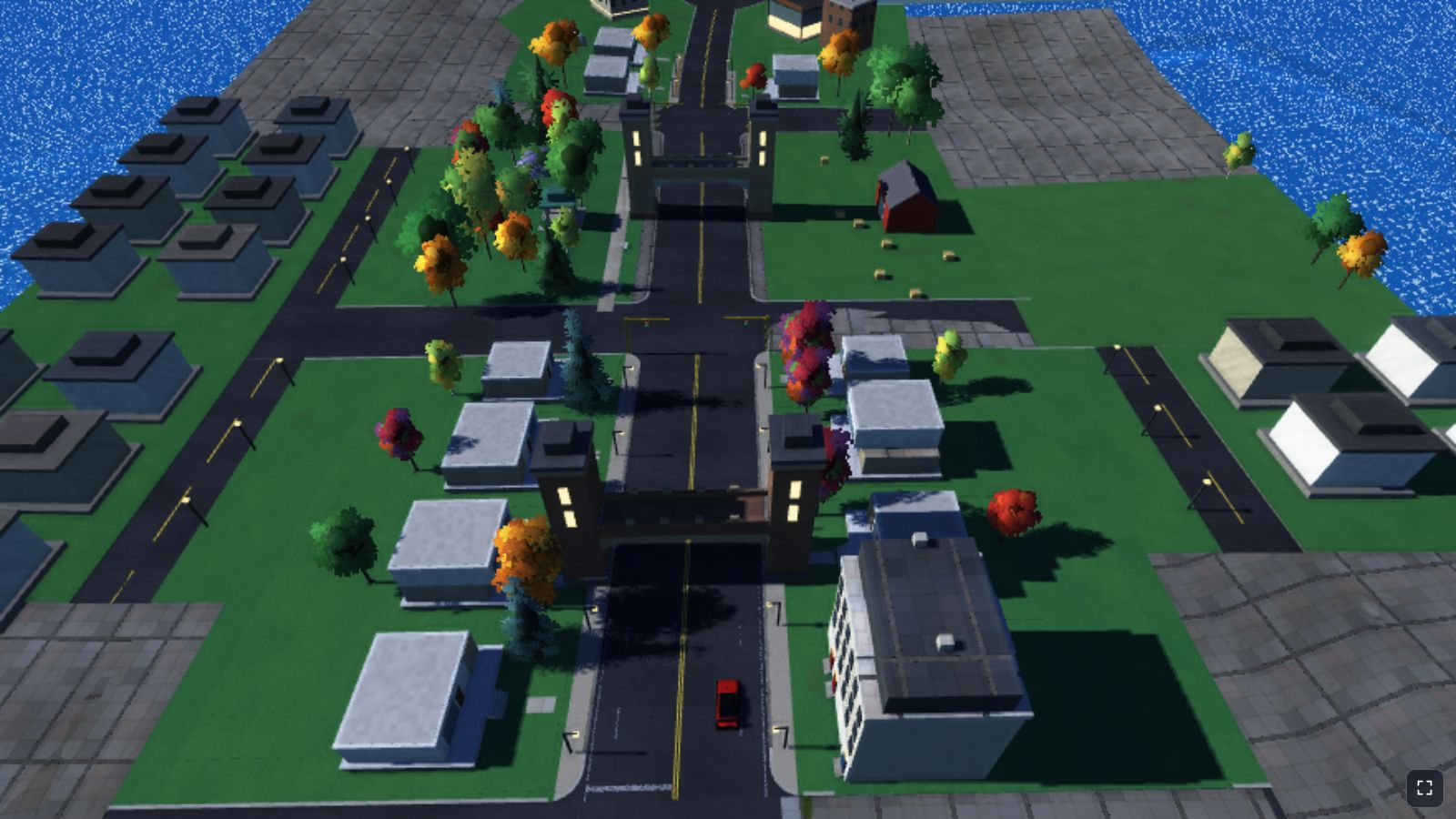
What it costs
I have not timed the shadow pass on the GPU, so these are costs read from the code:
- Memory: 16 MiB for the 2048 map, 4 MiB for 1024. Switching profile destroys the old texture and rebuilds the bind group.
- Vertex work: each redraw draws every streamed segment slot again (up to 180 slots of up to 7,200 vertices), plus the dynamic mesh and nearby trees, about one frame in four while driving.
- Fragment work: depth only in the shadow pass; four comparison samples per lit fragment in the main pass.
- CPU work: a little vector maths per frame, and a matrix rebuild only when the map is stale.
The redraw schedule is the main lever, and it is safe because the box moves in texel steps and the matrix changes only with the map.
Key takeaways
- An endless world can use one small shadow map if the map follows the camera. City Drive uses a 180 m box centred 50 m ahead of the camera.
- Build the light rotation at the origin and position the box with the projection bounds. Then snapping the bounds to whole texels removes shimmering.
- Shadows do not need redrawing every frame. Redraw on movement, sun change or a frame limit, and update the matrix only when the map is redrawn.
- A linear comparison sampler gives 2 × 2 PCF per tap for free. Four offset taps give a soft 4 × 4 footprint.
- Combine small biases: slope-scaled raster bias, a normal offset tied to texel size and a small constant.
- A low sun stretches every texel across the ground. Long morning shadows are softer for a reason.
Trade-offs and limitations
One box means one resolution. There is no fine cascade for the car's own surroundings and no coarse cascade for the skyline, so outside the box, which is 180 metres wide across the light and reaches at least 140 metres ahead, nothing casts a sun shadow at all. The edge fade softens the boundary, and from a chase camera most of what you look at is inside the box, but distant towers simply have no sun shadows.
Moving objects update at the map's pace: traffic and swaying tree shadows advance every few frames. And low suns are the weak spot, because texels and the three-texel filter stretch across the ground exactly when shadows are longest. Cascades, or a box that adapts to the sun's height, would fix that at the cost of more passes.
All of these trade-offs are a handful of constants at the top of sun_shadows.js and two quality profiles. If you want to build the basic technique yourself first, the shadow mapping tutorial walks through it step by step; after that, sun_shadows.js is a short read at 132 lines.
Official documentation
Go deeper with the specifications and reference documentation: