 gpu
Searching text with a compute shader
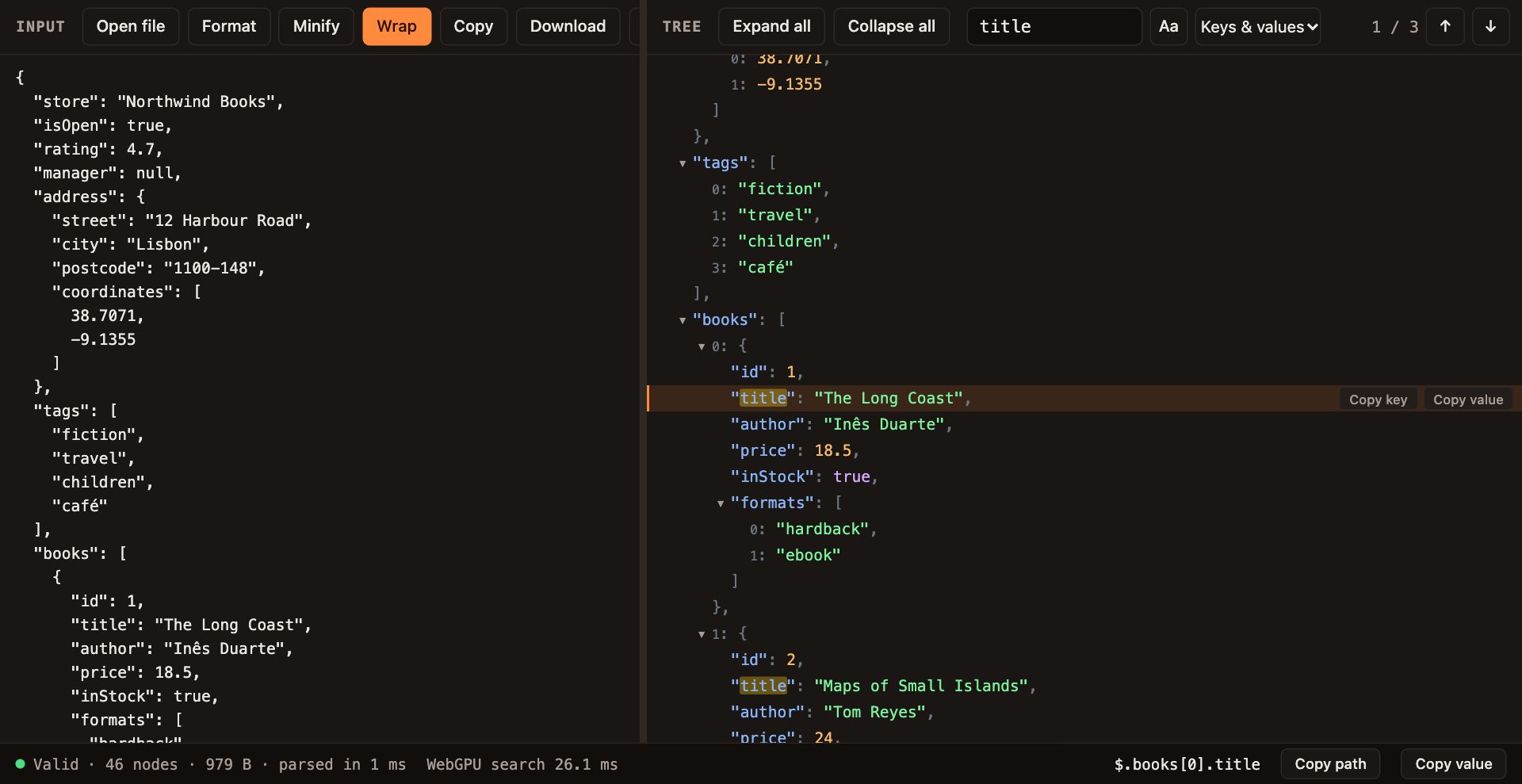
The JSON viewer on this site has no CPU search at all. When you type in its search box, a WebGPU compute shader checks every character position of the document at once. This article walks through how that works, what it costs, and where the GPU really helps.
The idea: one thread per position
The simplest search algorithm asks, for every position in the text, "does the query start here?" On a CPU that is a loop, and engines speed it up with clever skipping. On a GPU we can skip the cleverness: start one thread for every position, let each thread compare a few characters, and keep the threads that match.
A 30 MB document has about 30 million positions. That sounds like a lot of threads, but it is exactly the kind of work GPUs are built for: millions of tiny, identical, independent jobs.
Getting text into a GPU buffer
Shaders cannot read JavaScript strings. The text has to be copied into a GPU buffer first, and WGSL storage buffers are arrays of 32-bit words. So each word holds several characters.
Most JSON is plain ASCII, where every character fits in one byte. TextEncoder.encodeInto converts the string to bytes very quickly, and if it wrote exactly one byte per character, the text is ASCII and four characters fit in each word. Otherwise the code falls back to UTF-16, two characters per word, so that character offsets on the GPU match string offsets in JavaScript.
function packText(text) {
  const asciiBytes = new Uint8Array(roundUpToMultiple(text.length, BYTES_PER_WORD));
  const { read, written } = new TextEncoder().encodeInto(text, asciiBytes);
  if (read === text.length && written === text.length) {
    return { words: new Uint32Array(asciiBytes.buffer), encoding: TEXT_ENCODING.ASCII };
  }
  const codeUnits = new Uint16Array(roundUpToMultiple(text.length, TEXT_ENCODING.UTF16.unitsPerWord));
  for (let position = 0; position < text.length; position++) codeUnits[position] = text.charCodeAt(position);
  return { words: new Uint32Array(codeUnits.buffer), encoding: TEXT_ENCODING.UTF16 };
}
The packed buffer is uploaded once per document and kept on the GPU. Typing a new query does not upload the text again; only the short query buffer changes.
The search shader
Every thread works out which position it owns, then compares the query against the text from that position. The first mismatch ends the thread. A thread that gets through the whole query has found a match.
fn unitAt(position: u32) -> u32 {
  let word = textWords[position / parameters.unitsPerWord];
  let shift = (position % parameters.unitsPerWord) * parameters.unitBits;
  let mask = (1u << parameters.unitBits) - 1u;
  let unit = (word >> shift) & mask;
  if (parameters.foldsCase == 1u && unit >= 65u && unit <= 90u) {
    return unit + 32u;
  }
  return unit;
}

@compute @workgroup_size(256)
fn findMatches(@builtin(global_invocation_id) invocation: vec3u) {
  let position = invocation.x + invocation.y * parameters.workgroupsPerRow * 256u;
  if (position + parameters.queryLength > parameters.textLength) {
    return;
  }
  for (var offset = 0u; offset < parameters.queryLength; offset++) {
    if (unitAt(position + offset) != queryUnits[offset]) {
      return;
    }
  }
  let slot = atomicAdd(&matchCount, 1u);
  if (slot < parameters.maxMatches) {
    matchOffsets[slot] = position;
  }
}
Three details matter:
- Unpacking.
unitAtpulls one character out of its word with a shift and a mask. The same shader handles 8-bit and 16-bit text through theunitBitsparameter. - Case folding. For case-insensitive search, uppercase ASCII letters become lowercase on the fly. The query is folded the same way in JavaScript before upload. Folding other alphabets correctly needs Unicode tables, so the viewer asks you to turn on match case for those queries instead of giving wrong answers.
- Collecting matches. Thousands of threads may find matches at the same moment.
atomicAddhands each one a unique slot in the output array, and the counter keeps going past the array's size so we still know the true total.
Dispatching millions of threads
Threads are launched in workgroups of 256. A 30-million-character document needs about 117,000 workgroups, but WebGPU allows at most 65,535 workgroups in one dimension. The fix is a two-dimensional dispatch: fill rows of 65,535 workgroups and add rows until every position is covered. The shader turns its 2D id back into a single position.
const totalWorkgroups = Math.ceil(textLength / WORKGROUP_SIZE);
const workgroupsPerRow = Math.min(totalWorkgroups, MAX_WORKGROUPS_PER_DIMENSION);
const rowCount = Math.ceil(totalWorkgroups / workgroupsPerRow);
pass.dispatchWorkgroups(workgroupsPerRow, rowCount);
Threads past the end of the text exit on the first line of the shader, so rounding up is harmless.
Reading the results back
GPU buffers used by shaders cannot be read from JavaScript directly. After the dispatch, the counter and the offsets are copied into two small buffers created with MAP_READ, and mapAsync waits until the GPU has finished. Matches arrive in whatever order the threads happened to finish, so the offsets are sorted before use. A typed-array sort of even 200,000 numbers takes a few milliseconds.
The viewer stores at most 200,000 raw matches. Beyond that the tree would be unusable anyway, and the status line shows a "+" so you know the list is capped.
From offsets to JSON nodes
The GPU only knows character positions. The viewer needs to know which key or value each match belongs to. The parser already recorded, for every node, where its key and value start and end in the text, in document order. That order makes the lookup a binary search: for each offset, find the last node that starts at or before it, then check whether the offset falls inside that node's key or its value.
Matches in punctuation, such as a query of ":, land between tokens and are dropped. Consecutive hits inside the same node collapse into one result, so searching for a in "banana" gives one match, not three.
All of this runs in a Web Worker, together with the parser, so the page never freezes while a search runs.
The numbers
These timings were measured in Chrome on an Apple-silicon Mac. Each one covers the whole search as the viewer reports it: the GPU pass, the readback and the mapping to nodes.
| Document | Search | Time |
|---|---|---|
| 1 KB sample | "lisbon" or "title", 1 to 3 matches | 8 to 18 ms |
| 27 MB, 2.4 million nodes | "user 299998", first search | about 80 ms |
| 31 MB, case-insensitive | "EXAMPLE.COM", capped at 200,000 matches | about 78 ms |
The tiny sample is the honest lesson here: 8 to 18 milliseconds to search one kilobyte is slow. A plain indexOf would finish in microseconds. The fixed cost of talking to the GPU, creating buffers, submitting work and waiting for the readback, dominates small inputs.
On large documents the picture flips. Search time barely grows with size, because the extra positions are spread across thousands of GPU threads. Case-insensitive search with hundreds of thousands of matches costs about the same as a single-match search, which is exactly the case where CPU code slows down.
Key takeaways
- Brute force is a good fit for the GPU: one thread per position, no clever skipping needed.
- Upload the data once and keep it on the GPU. Only the query changes between searches.
- Use
atomicAddto give matching threads unique output slots, and sort afterwards. - WebGPU's 65,535-workgroup limit per dimension means large inputs need a 2D dispatch.
- The GPU wins on big inputs and heavy matching. For tiny inputs the fixed overhead loses.
What I would tell my past self
Measure the fixed overhead first. Everything interesting about GPU compute in the browser comes down to whether the work is big enough to pay for the trip. Here it is, for the files people actually struggle with in a JSON viewer.
If you want to write your own compute shaders, the compute shaders tutorial covers storage buffers, dispatches and readback step by step, with examples you can edit and run.
Official documentation
Go deeper with the specifications and reference documentation: