 gpu
Car physics without a physics engine
The red car in City Drive has no rigid body, no tyre model and no physics library behind it. Its whole driving model is one JavaScript file of about 480 lines. This article goes through that file, drive_physics.js, and the handful of helpers around it, and explains why such simple maths still feels like driving.
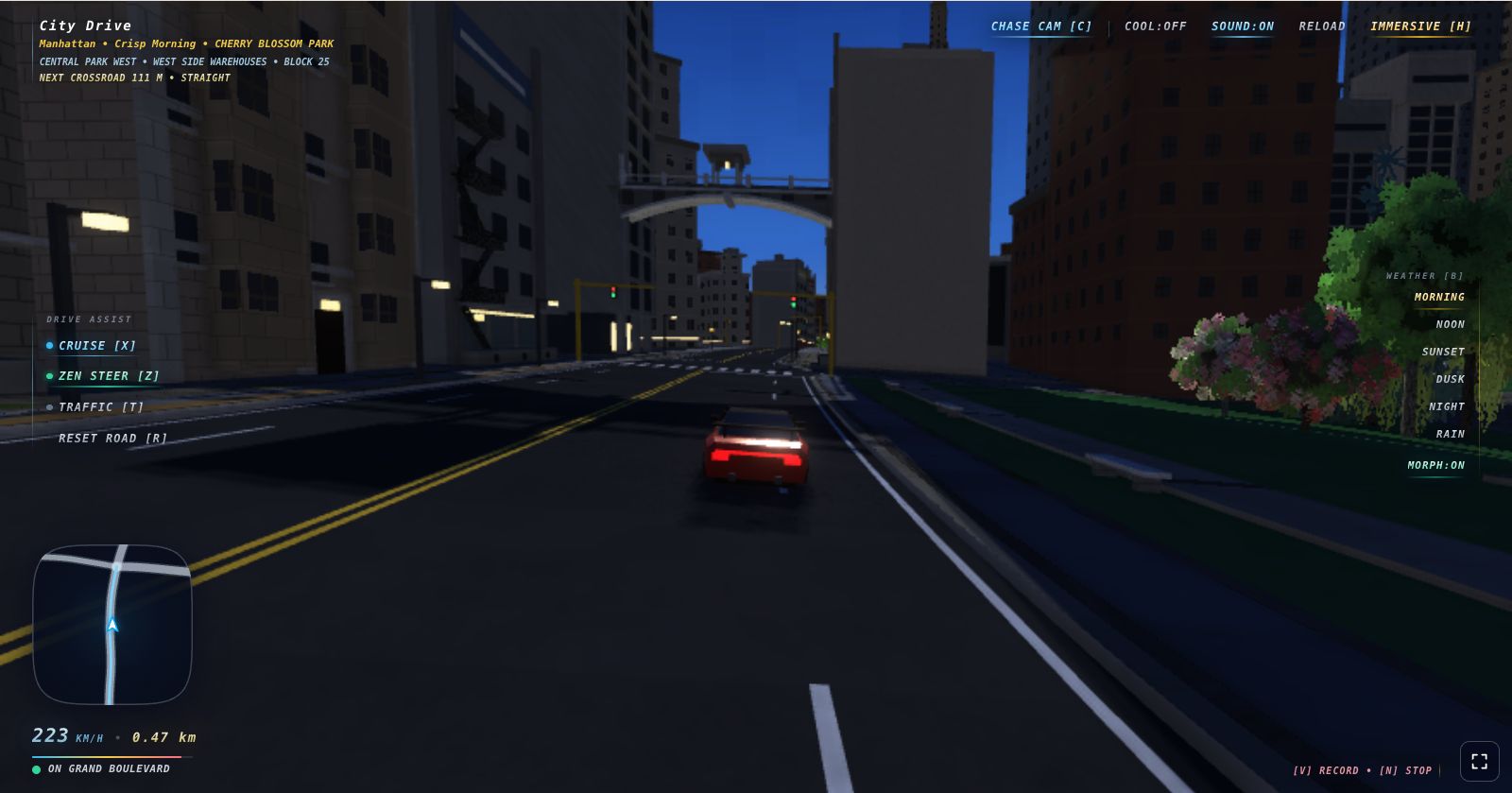
One function, once a frame
Everything happens in updateSimulation(dt), which the game calls once per rendered frame. There is no fixed timestep: dt is the real frame time in seconds, capped at 0.05 by the app shell so a stalled tab cannot teleport the car. Distances are metres and speeds are metres per second; the HUD multiplies by 3.6 to show km/h.
Each frame it finds the car on the road graph, classifies the surface, changes car.speed from the controls, lets the assists slow the car, turns it, moves it along its heading, pushes it out of anything it now overlaps, and settles it onto the ground. Then come the cosmetic body motion, camera and HUD.
The entire state of motion is a position, a heading and one signed speed. There is no velocity vector, so the car always travels exactly where its nose points. That one decision removes sliding, spinning and most of what makes physics engines hard to tune.
Throttle, brakes and coasting
Speed changes in applyThrottleAndBrakes. Here it is in full:
function applyThrottleAndBrakes(car, controls, dt) {
  const maxSpeed = car.offRoad ? MAX_OFFROAD_SPEED : MAX_ROAD_SPEED;
  if (controls.accelerating && !controls.braking) {
    const accelForce = (1.0 - (car.speed / maxSpeed) * 0.45) * 19.5;
    car.speed += accelForce * dt;
    car.accelPitch = lerp(car.accelPitch, 0.024, dt * 8);
  } else if (controls.braking) {
    if (car.speed > 1.0) {
      car.speed -= 34.0 * dt;
      car.accelPitch = lerp(car.accelPitch, -0.038, dt * 10);
    } else {
      car.speed -= 14.5 * dt;
    }
  } else {
    car.speed *= (1.0 - 0.32 * dt);
    car.accelPitch = lerp(car.accelPitch, 0.0, dt * 6);
  }
  if (controls.handbrake) car.speed *= (1.0 - 1.35 * dt);
  if (car.offRoad) car.speed *= (1.0 - 0.65 * dt);
  car.speed -= Math.sin(car.pitch) * HILL_GRAVITY_PULL * dt;
  car.speed = clamp(car.speed, MAX_REVERSE_SPEED, maxSpeed);
}
Each branch is a familiar feeling with a number attached:
- Throttle gives 19.5 m/s² from a standstill, fading linearly to 55% of that at top speed. The car never runs out of breath before its 62 m/s limit. In headless Chrome I measured 0 to 100 km/h in 1.59 seconds, as the formula predicts. It is a toy, on purpose.
- Brakes remove a constant 34 m/s². From 100 km/h the car stopped in 0.83 seconds. Below 1 m/s the brake key becomes reverse, down to −16 m/s.
- Coasting multiplies speed by
1 − 0.32·dt, an exponential decay with a time constant of about three seconds, so the car rolls on when you lift off. - Handbrake adds another 1.35 per second of decay.
- Off road the cap drops to 30 m/s and a 0.65 per second drag applies even with the throttle down. Throttle and drag balance at about 20.7 m/s (74 km/h) on flat ground, so the cap is never reached and the grass feels thick.
- Hills pull with
sin(pitch) × 4.5. No terrain slope is steeper than 15%, so the pull is at most about 0.67 m/s², roughly half of real gravity.
accelPitch is cosmetic: the drawn body squats under throttle and dips under braking.
Steering without tyres
Steering input is a number from −1 to 1: full lock from the keyboard, anything in between from touch. turnCar turns it into a change of heading:
function turnCar(car, steerTarget, handbrake, dt) {
  const speedSteerFactor = 1.0 / (1.0 + Math.abs(car.speed) * 0.019);
  car.steerAngle = lerp(car.steerAngle, steerTarget, dt * 9.5);
  const turnRate = car.steerAngle * (1.75 + (handbrake ? 0.85 : 0.0)) * speedSteerFactor;
  if (Math.abs(car.speed) > 0.2) {
    const drivingDirection = car.speed >= 0 ? 1 : -1;
    car.heading += turnRate * drivingDirection * dt * Math.min(1.0, Math.abs(car.speed) / 5.0);
  }
}- The wheel takes time to turn.
steerAngleeases towards the target at 9.5 per second, so a tap gives a small correction, not a jerk. - Steering softens with speed. The 1.75 rad/s base turn rate is divided by
1 + 0.019 × speed, which stops the car flicking sideways at 200 km/h. - No turning on the spot. Below 5 m/s the turn rate scales with speed, so the turning circle stays at about 3 metres.
- Reverse steers like a car. Negative speed flips the heading change.
Speed divided by turn rate gives the full-lock turning radius:
| Speed | Turn rate | Turning radius |
|---|---|---|
| 5 m/s (18 km/h) | 1.60 rad/s | 3.1 m |
| 20 m/s (72 km/h) | 1.27 rad/s | 15.8 m |
| 40 m/s (144 km/h) | 0.99 rad/s | 40 m |
| 62 m/s (223 km/h) | 0.80 rad/s | 77 m |
At top speed that is about 5 g sideways, which no tyre could hold. Grip is simply infinite. The handbrake does not make the car slide either: it adds 0.85 to the turn rate, about 50% more, while bleeding off speed, and the particle code throws up tyre smoke. You get the look of a handbrake turn with none of the instability. A cosmetic body lean (steerRoll) and a small speed-scaled suspension bob finish the effect.
Road, sidewalk, lawn or plaza
The world is a graph of roads (see the procedural city article). carLocation records whether the car is on an edge, at a fractional position counted in 4.2 metre segments, or inside a junction. Each frame the tracker searches only two segments either side of the last position, and jumps to another road if the car is more than 6 metres off its own and the other road is closer.
readRoadFrameUnderCar then interpolates the road's centre and sideways "right" vector at the car. The dot product of the car's offset with that vector is the lateral offset, and surface classification is a ladder of comparisons on that one number:
} else if (distanceFromCenter <= blockInfo.roadHalfWidth - 0.08) {
  car.surface = "road";
} else if (blockInfo.isIntersection && distanceFromCenter < PARALLEL_STREET_LAT) {
  car.surface = "cross";
} else if (distanceFromCenter <= blockInfo.roadHalfWidth + 2.8) {
  car.surface = "sidewalk";
} else if (sideIsParkOf(blockInfo, carSide) && distanceFromCenter < blockInfo.roadHalfWidth + PARK_LAWN_DEPTH_METERS && !(carSide < 0 ? roadFrame.startNode.hidesLeftSide : roadFrame.startNode.hidesRightSide)) {
  car.surface = "lawn";
} else {
  car.surface = "plaza";
}
car.offRoad = car.surface !== "road" && car.surface !== "cross";
Inside a junction, anything within the radius plus 0.3 metres is "cross". Everything that is not road or cross gets the off-road cap and drag, and the HUD names it, for example "Cruising Park Lawn".
classifyCarSurface labels the ground from one number, the car's distance from the road centre. On the first three segments of every city block, which are paved flat with no curb, anything out to 64 metres counts as "cross" instead.followGround eases the car's height towards the ground under it but never lets it sit more than 20 cm low, so mounting a curb looks like a quick hop. Off road it samples four points around the car to tilt the body over edges.
Collisions are just boxes
Collision shapes come from the same code that builds the scenery. While a road piece's geometry is being built, every upright box pushed through pushBox is also registered as an obstacle, and tree trunks, benches, fountains and similar props add their own footprints. world_obstacles.js keeps only what could touch the car body: boxes that reach higher than 0.38 metres above the ground and start lower than 1.45 metres. That band is the trick: curbs can be driven over and footbridges driven under, with no special cases.
Every obstacle is an oriented rectangle on the ground plane, and so is the car (1.02 metres half-width, 2.22 metres half-length). boxSeparation is a textbook separating axis test: project both boxes onto the four edge directions and, if they overlap on all four, push the car out along the smallest overlap.
for (const [axisX, axisZ] of candidateAxes) {
  const carExtent = carBox.halfWidth * Math.abs(carBox.rightX * axisX + carBox.rightZ * axisZ) + carBox.halfLength * Math.abs(carBox.forwardX * axisX + carBox.forwardZ * axisZ);
  const obstacleExtent = obstacle.halfWidth * Math.abs(obstacleRightX * axisX + obstacleRightZ * axisZ) + obstacle.halfDepth * Math.abs(obstacleForwardX * axisX + obstacleForwardZ * axisZ);
  const centerGap = toCarX * axisX + toCarZ * axisZ;
  const depth = carExtent + obstacleExtent - Math.abs(centerGap);
  if (depth <= 0) return null;
  if (!best || depth < best.depth) {
    const awayFromObstacle = centerGap >= 0 ? 1 : -1;
    best = { nx: axisX * awayFromObstacle, nz: axisZ * awayFromObstacle, depth };
  }
}
What makes a collision feel right is what happens to speed. handleObstacleContact takes the dot product of the travel direction with the push normal. Above 0.75, roughly within 41 degrees of head-on, the car bounces back at 22% of its speed, or stops if it was under 2 m/s. Otherwise it scrapes along and keeps 1 − 0.9 × alignment of its speed, so a glancing touch costs little.
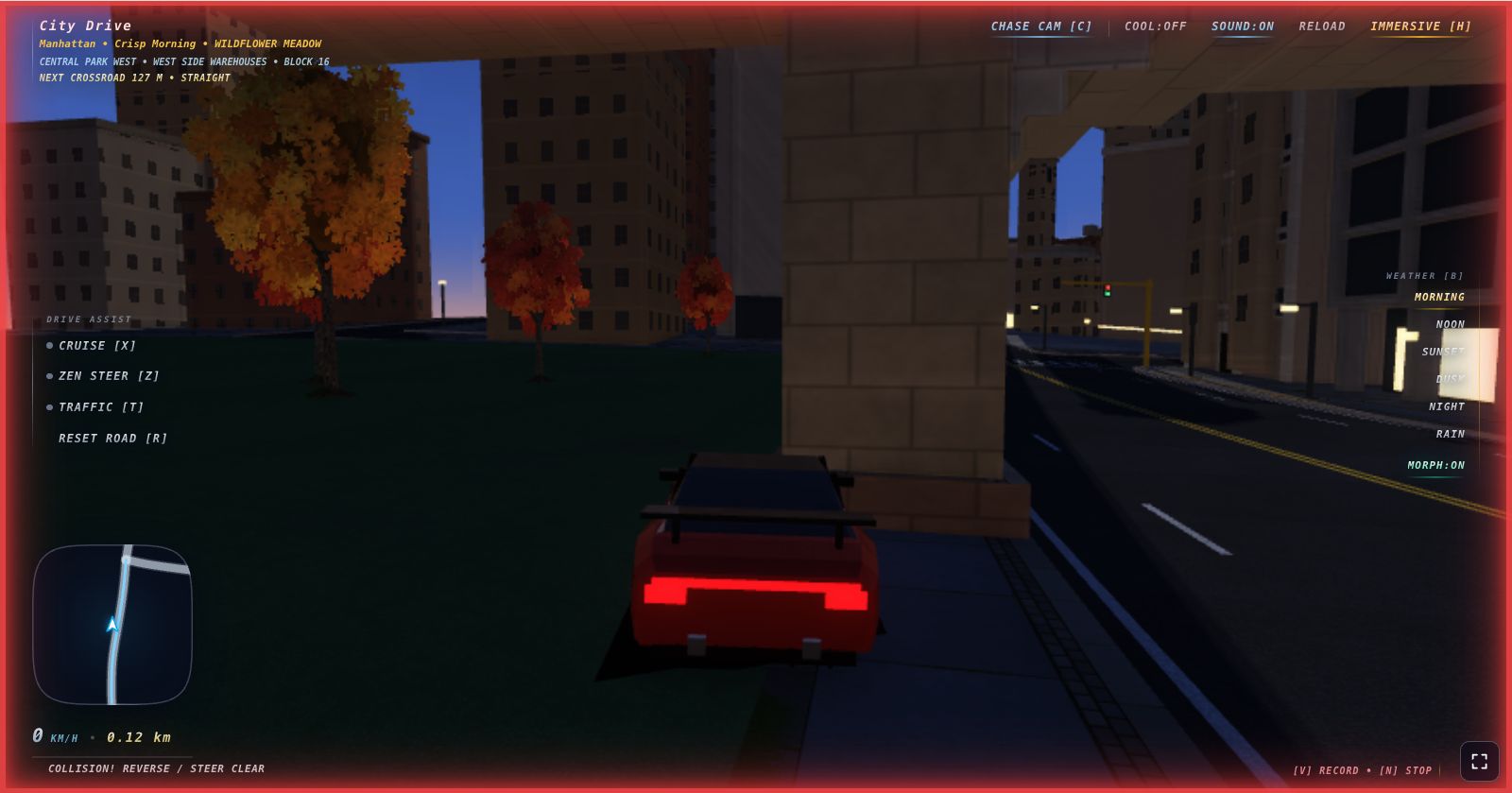
With traffic on, pushCarOutOfVehicles tests the car's next position against nearby vehicles. Running into the back of one throws you back at 2.5 to 8 m/s; a side hit cuts speed to 55%. Pedestrians are kinder: driving into one sets your speed to zero and cancels the move. Nobody is ever run over.
Water gets a softer wall. keepCarOnLand checks the car's corners against land shapes that reach 112 metres either side of each streamed road, plus the junction pads. If a corner falls outside, which is where the lakes are, glideBackInside eases the car back inland and bleeds off speed. It feels like a sandbank, not a wall.
Zen steer, cruise and turn intent
Three toggles make the game playable with one hand: Cruise (X), Zen steer (Z) and turn intent (Q for left, E for right). Cruise is one || in readDriveControls:
accelerating: playerInput.keys.up || state.cruiseHold,So cruise holds the throttle, not a speed, and will reach top speed. What keeps that safe is the junction assist. When Zen steer is on, or you have asked for a turn that exists, planCrossroadAssist picks the next junction's exit and a speed cap: 20 m/s straight on, 10 m/s left, 8 m/s right. Traffic keeps right, so a right turn is the tighter corner. Within 90 metres, slowForCrossroad applies a braking curve:
const approachCap = crossroad.inside
  ? cap
  : Math.sqrt(cap * cap + 2.0 * 9.0 * Math.max(0, crossroad.distance - 6.0));
if (car.speed > approachCap) {
  car.speed = Math.max(approachCap, car.speed - 42.0 * dt);
  car.accelPitch = lerp(car.accelPitch, -0.03, dt * 8);
}
That is v² = u² + 2as turned around: the fastest you can go now and still slow to the cap 6 metres before the junction, braking at 9 m/s². A logged approach shows the car riding the curve once it catches up with it:
| Distance to junction | Measured speed | Curve value |
|---|---|---|
| 98 m | 52.6 m/s | outside 90 m, no cap |
| 84 m | 50.2 m/s | 42.5 m/s (still braking down) |
| 63 m | 37.7 m/s | 37.8 m/s |
| 45 m | 33.2 m/s | 33.2 m/s |
| 23 m | 26.6 m/s | 26.6 m/s |
| 5 m | 20.0 m/s | 20.0 m/s (straight-on cap) |
Steering takes over 3 metres before the junction. junctionTurnPath builds a quadratic Bézier curve from the arrival lane centre, through the point where the arrival and exit lane lines cross, to the exit lane centre. Each frame the car finds the nearest of 21 samples on the curve, aims 0.3 further along, and steers with simple pursuit: heading error times 2.4, clamped to full lock.
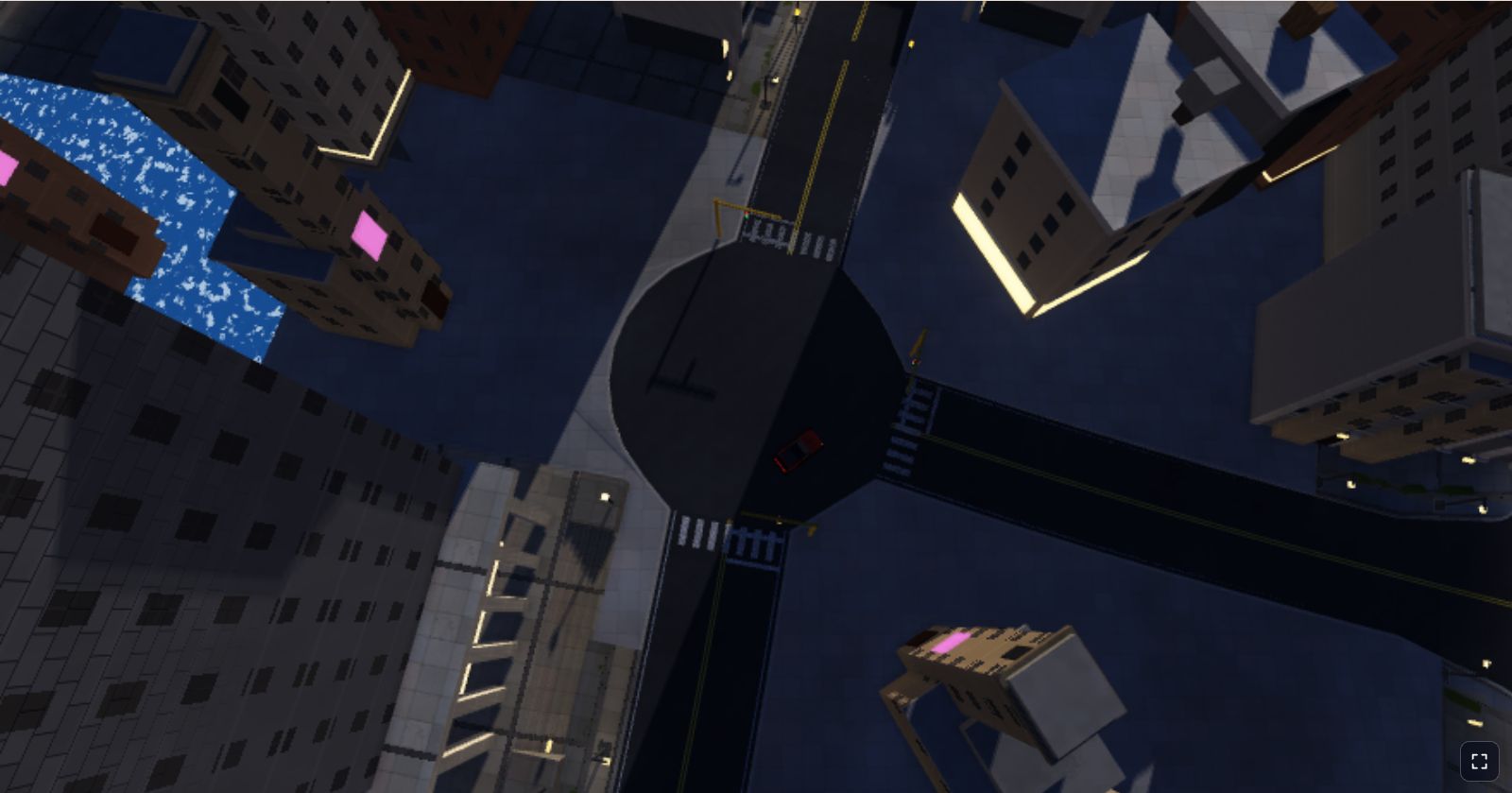
Between junctions, laneFollowSteer aims at the lane centre the larger of 9 metres or 0.75 seconds ahead, with a gain of 2.2. Looking further ahead at speed stops it weaving. Cross more than 0.8 metres over the centre line and Zen steer keeps you on that side instead. For up to three seconds after a junction, lane following runs even with Zen steer off, so the car straightens into its new lane after a manual turn.
The driver always wins. Any steering input cancels the assist, and it stays off for 0.9 seconds after you let go. With traffic on, Zen steer also keeps a gap to the car ahead, using the rule described in the traffic article.
Touch controls
On a phone, on-screen pedals set the same playerInput.keys flags as the keyboard, using pointer capture so a thumb sliding off a button cannot leave a key stuck. A steering pad gives an analogue touchSteerValue. You can also drive on the game view itself: touch to accelerate, slide sideways to steer, slide down to brake.
canvas.addEventListener("pointermove", (event) => {
  if (event.pointerId !== touchId) return;
  const swipeX = event.clientX - startX;
  const swipeY = event.clientY - startY;
  const fullSteerSwipe = Math.max(TOUCH_MIN_STEER_SWIPE_PIXELS, canvas.clientWidth * TOUCH_STEER_SWIPE_SCREEN_FRACTION);
  playerInput.touchSteerValue = clamp(-swipeX / fullSteerSwipe, -1.0, 1.0);
  const isBraking = swipeY > TOUCH_BRAKE_SWIPE_PIXELS;
  keys.up = !isBraking;
  keys.down = isBraking;
});
Full lock is a swipe of 18% of the screen width (at least 48 pixels), so it feels the same on a phone and a tablet. Partial swipes go through the same steerAngle smoothing and give proportional turns.
The chase camera
C cycles four cameras defined as plain data: Chase Cam, Action Low, Hood Cam and Heli Cam. Each follow camera moves a fraction of the way towards a point behind the car, and a look-at point ahead of it, every frame:
const follow = Math.min(1.0, dt * mode.stiffness);
const lookFollow = Math.min(1.0, follow * 1.2);
camera.x = lerp(camera.x, car.x - axes.forwardX * mode.distance, follow);
camera.y = lerp(camera.y, car.y - axes.forwardY * mode.distance + mode.height, follow);
camera.z = lerp(camera.z, car.z - axes.forwardZ * mode.distance, follow);
The chase camera sits 7.4 metres behind and 2.45 metres up with a stiffness of 8.5. The lag is a feature: accelerate and the car pulls away on screen, as in the first image; turn and you glimpse its side. The look-at point moves 20% faster, so the view leads into corners, and the field of view widens from 58 to 70 degrees with speed.
A lagging camera can end up inside a building, so keepCameraOutOfObstacles casts a ray from the car to the camera, slab-tests it against the collision boxes with 60 cm of clearance, and pulls the camera in to the first hit. Hood Cam is simply bolted to the body, and the cabin is left out of the mesh so it does not block the view.
Key takeaways
- One signed speed and one heading are enough for a car that feels good. Without a velocity vector there is no sliding to tune.
- Each feeling is one term: linear-fade throttle, constant brakes, exponential coasting, extra drag off road, a small hill pull.
- Steering that softens with speed and fades out below 5 m/s does most of the work a tyre model would.
- Collision response is about speed, not position: bounce when head-on, scrape when glancing.
- Assists use plain kinematics: a v² = u² + 2as braking curve, a Bézier turn path and pursuit steering.
- Smoothed, slightly lagging cameras sell speed better than rigid ones.
What it does not do
The simplicity has costs:
- No drifting or loss of grip. With no sideways velocity, the car cannot oversteer or spin.
- Frame-rate dependent smoothing. Smoothing is
lerp(a, b, dt × k)and speed uses simple Euler steps: close to frame-rate independent at the 30 and 60 fps the game targets, but not exact. - Simplified traffic collisions. Other vehicles are tested as boxes aligned with the player's car, ignoring their own heading, so angled hits are approximate.
- No damage. Collisions cost speed and play a sound, nothing more.
- One small quirk. The HUD shows "heading left" even when the junction ahead has no left arm; the assist then quietly goes straight on.
None of this needed a physics engine: a few hundred lines of arithmetic, chosen for feel rather than accuracy. To try it, play City Drive and switch on Zen steer.