 gpu
Streaming an open world with Web Workers
The previous article showed how City Drive describes an endless city. Describing it is the easy part. This one covers how the game turns that description into GPU geometry around a moving car, aiming for 60 frames per second, without the main thread ever stopping to build a block of buildings.
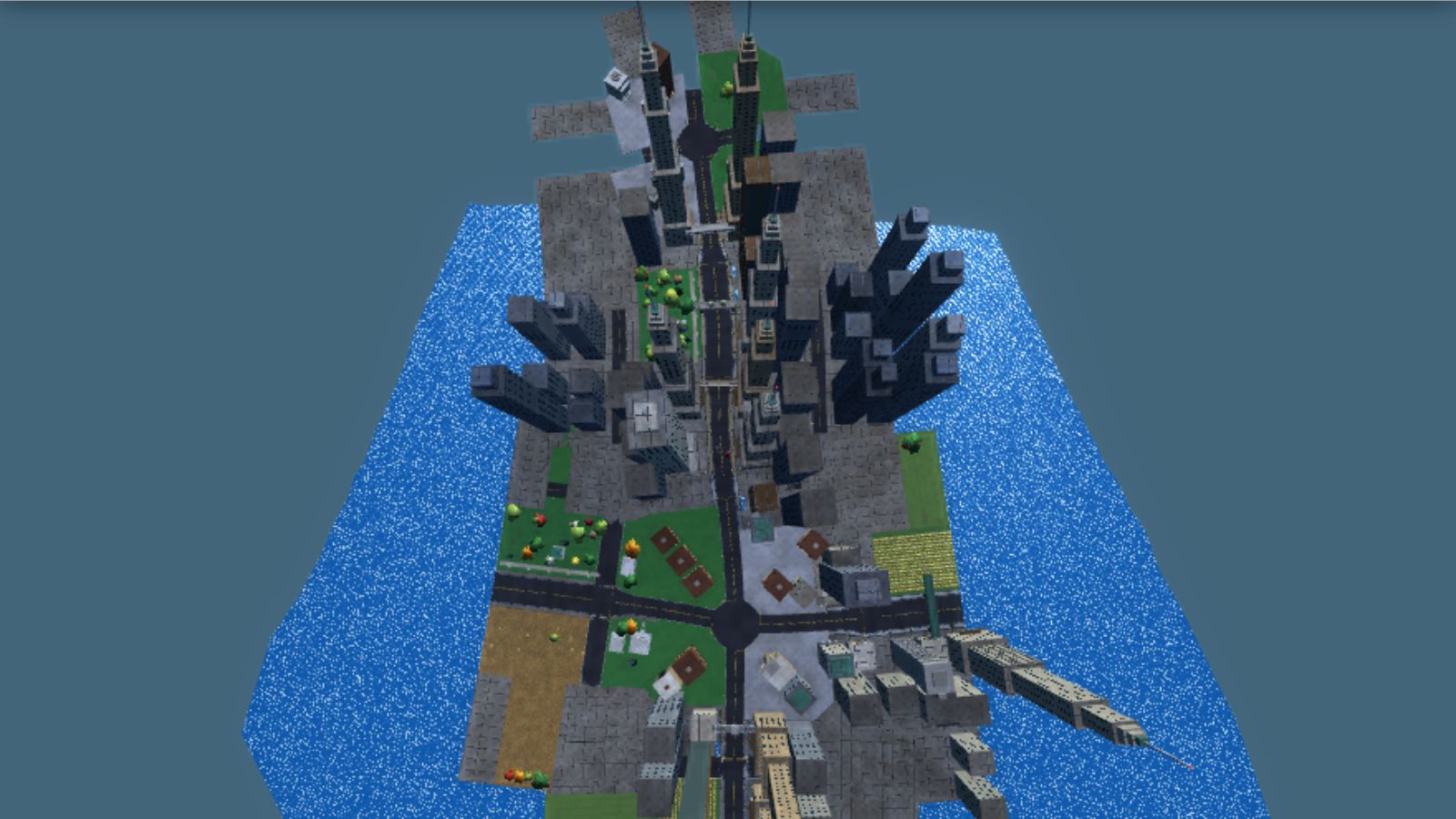
A fixed budget: 180 slots
The whole streaming system starts from a handful of constants in geometry.js:
const FLOATS_PER_VERT = 15;
const STREET_FRAME_FLOAT_OFFSET = 12;
const BYTES_PER_VERT = FLOATS_PER_VERT * 4;
const MAX_SEGMENTS = 180;
const VERTS_PER_SEGMENT = 7200;
const DYNAMIC_MESH_MAX_VERTS = 16200;
const STREAMED_SLOT_VERTS = MAX_SEGMENTS * VERTS_PER_SEGMENT;
const DYNAMIC_VERT_OFFSET = STREAMED_SLOT_VERTS;
const TOTAL_BUFFER_VERTS = DYNAMIC_VERT_OFFSET + DYNAMIC_MESH_MAX_VERTS;
The world is cut into items: one road segment (4.2 metres of road plus everything beside it) or one junction. At most 180 items exist at once, and each gets a slot: a fixed range of 7,200 vertices in one big vertex buffer that the renderer creates once at start-up and never resizes.
Each vertex is 15 floats, 60 bytes: position, normal, colour, then material, variant and an occlusion term, then three "street frame" floats: distance along the road, distance across it, and the road's half-width packed with lamp flags, which the shaders use for street lighting. There is no index buffer for world geometry; every triangle is three full vertices. A slot is therefore 432,000 bytes, the 180 slots 77.76 MB, and with the dynamic region for the car, traffic, particles and lake on the end the buffer is 78.7 MB.
Uploading a slot is a single writeBuffer at a computed offset, copied from renderer.js:
uploadSegmentSlot(slotIndex, floatData, vertCount) {
  const vertexCount = Math.min(Math.max(0, Math.floor(vertCount)), VERTS_PER_SEGMENT);
  this.slotCounts[slotIndex] = vertexCount;
  this.slotsVersion++;
  if (!this.device || vertexCount === 0) return;
  this.recordSlotCenter(slotIndex, floatData, vertexCount);
  const byteOffset = slotIndex * VERTS_PER_SEGMENT * BYTES_PER_VERT;
  this.device.queue.writeBuffer(this.vertexBuffer, byteOffset, floatData.buffer, floatData.byteOffset, vertexCount * BYTES_PER_VERT);
}
Only the used part of the slot is written, and slotCounts records how many vertices to draw. Clearing a slot does not touch the GPU at all: clearSegmentSlot sets the count to zero and the stale vertices are simply never drawn.
Fixed slots trade memory for simplicity. There is no allocator, no fragmentation and no buffer recreation mid-drive. The price is that every slot reserves room for its worst case, and a busy segment that needs more than 7,200 vertices is silently cut short.
Choosing what to build
Each frame, streamWorldAroundCar in world_streaming.js does three things on different clocks:
function streamWorldAroundCar(car, renderer, dt) {
  updateCarLocation(car);
  segmentStreaming.secondsUntilVisibleRefresh -= dt;
  if (segmentStreaming.secondsUntilVisibleRefresh <= 0) {
    segmentStreaming.secondsUntilVisibleRefresh = VISIBLE_REFRESH_INTERVAL_SECONDS;
    syncVisibleSlots(renderer);
  }
  segmentStreaming.secondsUntilEviction -= dt;
  if (segmentStreaming.secondsUntilEviction <= 0) {
    segmentStreaming.secondsUntilEviction = GRAPH_EVICTION_INTERVAL_SECONDS;
    evictFarGraph(car);
  }
  processPendingBuilds(renderer, SEGMENT_BUILDS_PER_FRAME);
}
Every 0.25 seconds it recomputes the visible set, every two seconds it evicts road graph far behind the car, and every frame it pushes pending builds forward.
The visible set is not a radius around the car. A city seen from a road is mostly the road itself, so computeVisibleSet walks along the roads. It starts "walkers" at the car's segment, one heading forward and one backward, plus walkers on any other road whose nearest point is within 140 metres. Then, like Dijkstra's algorithm, it repeatedly advances the cheapest walker by one segment:
while (items.length < MAX_SEGMENTS && walkers.length) {
  let cheapestIndex = 0;
  for (let index = 1; index < walkers.length; index++) {
    if (walkers[index].cost < walkers[cheapestIndex].cost) cheapestIndex = index;
  }
  const walker = walkers[cheapestIndex];
  if (walker.cost > MAX_VIEW_COST) break;
When a walker runs off the end of an edge it adds that junction as an item and starts new walkers down each of the junction's other arms. This is also where the road graph grows: adding a junction calls ensureJunctionArms, which creates the roads leaving it. Every step adds 4.2 metres times the walker's weight to its cost. Forward walkers weigh 1.0 and walkers behind the car weigh 2.6, so the city reaches about 760 metres ahead but only about 290 behind. When the car is on a junction, arms leading sideways get 1.4. The walk stops at the cost limit or when 180 items have been found, whichever comes first.
The result is a list ordered from cheapest to most expensive, which doubles as a priority list for building.
Claiming and releasing slots
Items have stable keys: edge.id * 128 + segmentIndex for segments and -junction.id for junctions. syncVisibleSlots compares the new visible set against the keys in the slots:
- Any slot whose key is no longer wanted is released: its key is forgotten, its collision obstacles are dropped and the renderer zeroes its vertex count.
- Pending builds for released items are filtered out.
- Each newly visible item pops a free slot and joins the pending list.
- The pending list is sorted by walk cost, so the road right in front of the car is built before a tower 600 metres away.
Items that stay visible keep their slot and are not rebuilt. One exception: when a new edge appears, queueRebuildOfSlotsNear requeues existing items within 142 metres of it, because the new road may now cut through land where an older segment put buildings. Those segments rebuild with that side cleared.
Workers that run the game's own scripts
Building one segment means running the full city generator for 4.2 metres of road: lots, towers, bridges, trees, collision boxes, terrain draping. Doing up to 180 of those on the main thread would stall a frame. So world_build_service.js starts one Web Worker, or two if navigator.hardwareConcurrency reports at least six cores.
The worker file, world_build_worker.js, is only 78 lines. It contains no city code at all. Instead the main thread tells it which scripts to load, by listing every script tag on the page that lives in the game folder, minus a deny-list of files that touch the DOM, WebGPU or audio:
function spawnWorldBuildWorker() {
  const worker = new Worker(WORLD_BUILD_WORKER_URL);
  const entry = { worker, isLoaded: false, graphSignature: null, edgeIdsKnownToWorker: new Set(), inFlightCount: 0 };
  worker.onmessage = (event) => handleWorkerMessage(entry, event.data);
  worker.onerror = () => disableWorldBuildService();
  worker.postMessage({ type: "load", worldSeed: WORLD_SEED, scriptUrls: worldBuildScriptUrls() });
  return entry;
}
function loadWorldScripts({ worldSeed, scriptUrls }) {
self.presetWorldSeed = worldSeed;
importScripts(...scriptUrls);
workerBuildState.geometryBuffer = new Float32Array(VERTS_PER_SEGMENT * FLOATS_PER_VERT);
workerBuildState.isLoaded = true;
self.postMessage({ type: "loaded" });
}This works because the game is written as plain global scripts. importScripts runs the same files, in the same order, inside the worker, so the worker has exactly the same functions as the page. Setting presetWorldSeed first makes environment.js pick up the page's seed instead of rolling a new one, and since the city's contents are a pure function of seed and position, the worker builds exactly what the main thread would have built. There is one copy of the generator, not two.
The workers start early. app_shell.js asks for the tree meshes and leaf atlas before the WebGPU device even exists, and that request launches the workers. The foliage assets are built on a worker, while the GPU initialises, and posted back with their buffers transferred.
Keeping the road graph in sync
There is a catch. The road graph grows on the main thread, inside the visibility walk, and the worker needs it to build anything. Its edges and junctions point at each other, so they cannot be posted as they are. road_graph_mirror.js flattens them into records where object references become ids, and sends only what changed:
function syncRoadGraphToWorker(entry) {
  const signature = `${roadGraph.nextId}:${roadGraph.edges.size}:${roadGraph.junctions.size}`;
  if (entry.graphSignature === signature) return;
  entry.graphSignature = signature;
  entry.worker.postMessage({ type: "graphChanges", changes: describeRoadGraphChanges(entry.edgeIdsKnownToWorker) });
}
Before each build request, the service compares a cheap signature of the graph with the last one that worker saw. If it changed, it sends a graphChanges message first. Each worker entry remembers the edge ids it already has, so only new edges are sent in full (with their node arrays) and removed edges are sent as ids. Junctions and the per-node "hide this side" flags are sent in full every time, the flags packed two bits per node in a Uint8Array. On the worker, applyRoadGraphChanges rebuilds the references and recomputes each node's block info locally, which is cheaper than sending it.
Because both messages go down the same channel, the worker always applies the graph change before it sees the build request that depends on it. Message ordering does the synchronisation; there are no locks or shared memory.
Getting vertices back to the GPU
The worker builds into one reusable 432,000-byte scratch buffer, then copies out only the used part and transfers it:
function buildRequestedSlot(request) {
  const built = request.edgeId !== undefined ? buildEdgeSegment(request) : buildJunction(request);
  if (!built) {
    self.postMessage({ type: "built", requestId: request.requestId, isMissing: true });
    return;
  }
  const { vertexCount, trees, anchorUpdates } = built;
  const vertexData = workerBuildState.geometryBuffer.slice(0, vertexCount * FLOATS_PER_VERT);
  self.postMessage({ type: "built", requestId: request.requestId, vertexData, vertexCount, trees, anchorUpdates }, [vertexData.buffer]);
}
The slice makes one compact copy on the worker. Listing vertexData.buffer as a transferable then moves that memory to the main thread without a second copy. Tree instances and anchorUpdates are small and go through the normal structured clone. anchorUpdates carries data the main thread needs back: collision obstacles produced while building, and the side-hiding flags the build may have changed.
On the main thread, a result is applied only if it still matters:
function isCurrentSlotRequest(request, requestId) {
  const streaming = segmentStreaming;
  return streaming.latestRequestBySlot.get(request.slot) === requestId && streaming.slotItems[request.slot] === request.item;
}

function applyWorkerBuild(renderer, request, result) {
  if (!isCurrentSlotRequest(request, result.requestId)) return;
  segmentStreaming.latestRequestBySlot.delete(request.slot);
  Object.assign(slotItemAnchor(request.item), result.anchorUpdates);
  renderer.uploadSegmentSlot(request.slot, result.vertexData, result.vertexCount);
  renderer.setSlotTrees(request.slot, result.trees);
}
If the car turned and the slot now holds a different item, or the item was requeued and a newer request is pending, the old result is thrown away. The transferred buffer goes straight into writeBuffer; there is no JavaScript copy on the main thread at all.
Each worker may have three requests in flight, and new requests go to the least busy loaded worker. If the edge or junction was evicted before the worker got to it, the worker replies isMissing and the main thread falls back to building that item itself.
When there are no workers
The service is defensive. If Worker is undefined, if creating one throws, if a worker fires onerror, or if no worker has reported "loaded" within ten seconds, disableWorldBuildService terminates them all and hands every in-flight request back to the main thread. From then on processPendingBuilds builds on the main thread, five items per frame, into its own scratch buffer. The game still runs; it just has a heavier main thread.
Start-up uses the same machinery. app_shell.js does not render until isInitialWorldBuilt() is true: slots exist, nothing is pending and nothing is in flight. About eleven seconds after loading seed 412 for these screenshots, the graph had seven edges and eight junctions, and all 180 slots were in use.
Drawing the slots
Slots are drawn with one draw call each, straight out of the shared buffer using firstVertex:
for (const slotIndex of slotOrder) {
  if (this.slotCounts[slotIndex] > 0) pass.draw(this.slotCounts[slotIndex], 1, slotIndex * VERTS_PER_SEGMENT, 0);
}
That is up to 180 draws per pass, and there are up to three passes: a sun shadow pass when the shadow map needs refreshing, a depth pre-pass and the main pass. Slots are sorted nearest-first using the centre of each slot's bounding box, recorded during upload, which helps the GPU reject hidden fragments early. The sort is cached until a slot changes or the camera moves more than 4 metres.
Two tricks keep the slots valid for longer. Road, shoulder, stripe and water colours are written into vertices as a negative red channel holding a slot number, and the shader swaps in the current weather colour from a uniform, so the whole city changes from dry to wet without re-uploading anything. And trees are not in the slots at all: each build returns instance records, and the renderer draws them with instanced meshes.
Adaptive render scale
Streaming keeps CPU spikes off the main thread, but the GPU can still fall behind. app_shell.js keeps a smoothed frame time and, every two seconds, adjusts a render scale that multiplies the canvas resolution:
function chooseRenderScale(averageFrameSeconds, renderScale) {
  const targetFrameSeconds = activeTargetFrameSeconds();
  if (averageFrameSeconds > targetFrameSeconds * SLOW_FRAME_RATIO) return Math.max(MIN_RENDER_SCALE, renderScale * RENDER_SCALE_STEP_DOWN);
  if (averageFrameSeconds < targetFrameSeconds * FAST_FRAME_RATIO) return Math.min(1.0, renderScale * RENDER_SCALE_STEP_UP);
  return renderScale;
}
An average more than 25% over target shrinks the scale by 12%, down to 0.55; an average under 1.035 times the target grows it by 6%, up to 1. Shrinking fast and growing slowly avoids oscillating. The target comes from a performance profile: "full" aims for 60 fps with a device pixel ratio capped at 1.5, "cool" aims for 30 fps at ratio 1.0 with lower shadow and bloom settings, and on battery the frame rate is capped at 45. Scaling is paused while recording a video.
Key takeaways
- A fixed pool of equal vertex slots in one buffer removes allocation and fragmentation from streaming entirely.
- Choose what to stream by walking the road network with costs, not by radius, and build the cheapest items first.
- If your game is plain scripts,
importScriptscan run the same generator in a worker. One codebase, two threads. - Send graph diffs keyed by id, transfer vertex buffers, and drop results whose slot has moved on.
- Always keep a main-thread fallback, and do not render until the first world is ready.
What this design costs
Memory up front. 78.7 MB of vertex buffer is reserved whether the slots are busy or not, and most segments use far fewer than 7,200 vertices.
No level of detail for slots. A segment 700 metres away is built at the same detail as the one under the car. The shaders fade fine detail and road markings with distance, but the vertices are still built, uploaded and processed.
Main-thread work is not zero. The visibility walk, graph growth, graph diffing and writeBuffer calls all stay on the main thread. The walk picks the cheapest walker with a linear scan, which is fine for a few dozen walkers. Junction records are re-sent in full on every graph change. I did not profile how much any of this costs in practice.
Silent overflow. Both pushTriangle and uploadSegmentSlot clamp to the slot size without warning. That keeps the game running, but a too-busy segment shows up as missing geometry, not an error.
The same pattern would suit any streamed world with cheap, deterministic generation: give each piece a stable key, make its contents a pure function of that key, and let workers do the building. How the car drives on this freshly built road is the subject of the next article.